Exact Geodesic Distance from a Surface Point¤
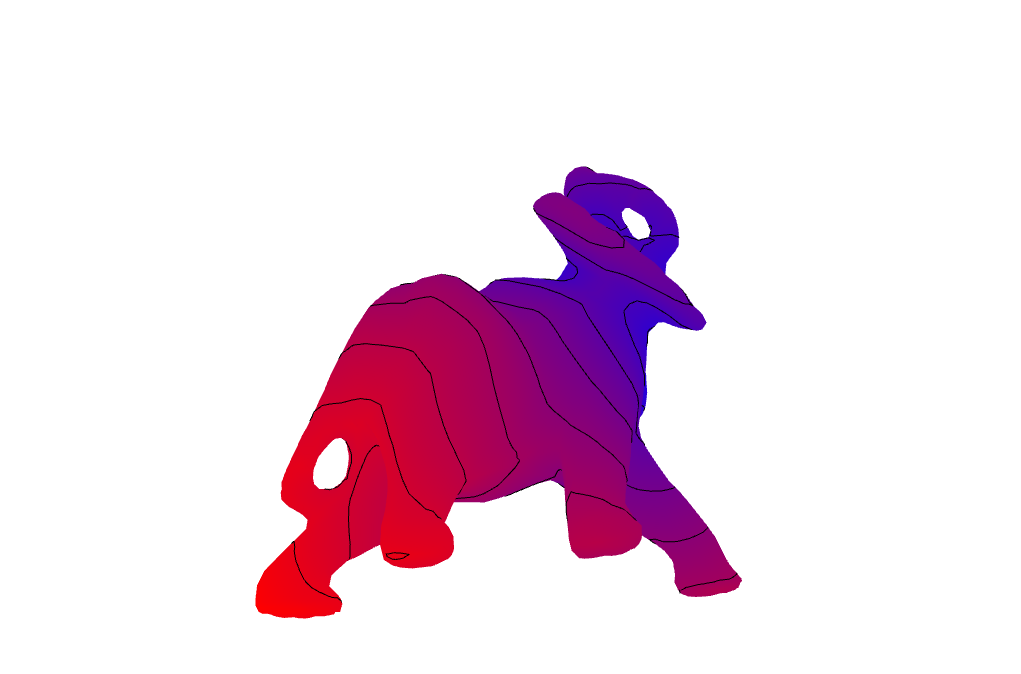
The exact backend computes the polyhedral geodesic distance from a source located anywhere on the mesh surface. This compact example places one source at the centroid of a face, colors the mesh by distance, and draws distance isolines.
The source is passed to
exact_geodesic_distances_from_points, demonstrating the point-source API
without snapping the source to a mesh vertex. The red isolines are extracted
from the resulting vertex scalar field with isolines.
What "exact" means here¤
Exact refers to the algorithm, not to the arithmetic. The shortest path across the polyhedron is
computed without algorithmic approximation — no time step, no diffusion, and no
dependence on triangle quality — but it is evaluated in double precision under CGAL's
Exact_predicates_inexact_constructions_kernel. Geodesic distance is a construction, built from
unfoldings and square roots, so the returned numbers carry ordinary floating-point
error.
from pathlib import Path

from compas.colors import Color
from compas.colors import ColorMap
from compas.datastructures import Mesh
from compas.geometry import Polyline
from compas_viewer import Viewer
from compas_viewer.config import Config

from compas_cgal.geodesics import exact_geodesic_distances_from_points
from compas_cgal.isolines import isolines

mesh = Mesh.from_off(Path(__file__).parent.parent.parent / "data" / "elephant.off")
mesh.quads_to_triangles()

source = mesh.face_centroid(0)
distances = exact_geodesic_distances_from_points(mesh, [source])
polylines = isolines(mesh, distances, n=10, resample=False)

cmap = ColorMap.from_two_colors(Color.blue(), Color.red())
colors = {vertex: cmap(d, minval=distances.min(), maxval=distances.max()) for vertex, d in zip(mesh.vertices(), distances)}

config = Config()
config.camera.position = [0.0, -1.25, 0.6]
config.camera.target = [0.0, 0.0, 0.0]
config.renderer.show_grid = False
viewer = Viewer(config=config)
viewer.scene.add(mesh, use_vertexcolors=True, vertexcolor=colors, show_lines=False)
viewer.scene.add(source, pointcolor=Color.black(), pointsize=20)
for polyline in polylines:
    viewer.scene.add(Polyline(polyline), linecolor=Color.black(), lineswidth=5)
viewer.show()